

Description
Download Soft4Boost TV Recorder – Free TV Recording Software for Windows, Mac, Android & iOS
Soft4Boost TV Recorder is a powerful yet user-friendly software designed to help users record live television directly to their personal computers. Whether you're capturing your favorite shows, sports events, or news broadcasts, this tool simplifies the entire process with intuitive controls and robust recording capabilities. Ideal for both beginners and intermediate users, Soft4Boost TV Recorder supports a wide range of broadcast standards including DVB-T, ATSC, ISDB-T, and AVS. It can handle HDTV, digital, and even analog signals with ease. The sleek interface features a customizable control panel, making navigation simple and efficient. With support for multiple output formats and scheduled recording, this software is perfect for those who want to save content for later viewing or share it with friends. Best of all, it's completely free to download and update regularly for optimal performance.
Key Features of Soft4Boost TV Recorder
Soft4Boost TV Recorder stands out in the crowded field of TV recording software thanks to its comprehensive feature set tailored for everyday users. One of the most impressive aspects is its support for multiple broadcast standards, including DVB-T (used in Europe), ATSC (common in North America), ISDB-T (popular in Japan), and AVS (used in China). This versatility ensures that users from various regions can record live TV without compatibility issues. Whether you're watching high-definition broadcasts or older analog signals, the software adapts seamlessly to deliver clear, high-quality recordings.
Another standout feature is the ability to schedule recordings in advance. This is particularly useful for busy individuals who can’t watch live TV but still want to catch their favorite programs. Simply set a recording time, and the software will automatically start capturing the broadcast. This functionality is ideal for recording sports events, award shows, or late-night talk shows. Additionally, the software supports a wide array of output formats such as MP4, AVI, MKV, and WMV, allowing users to choose the best format for their devices or sharing needs.
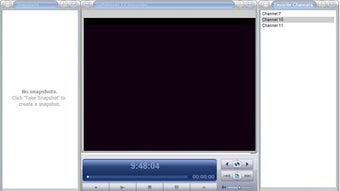
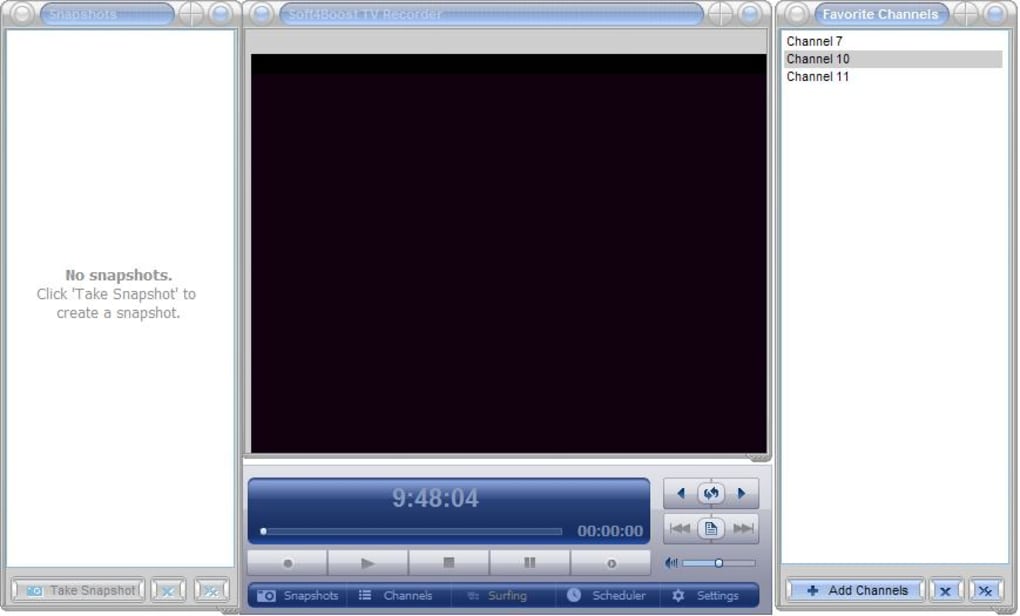
The user interface is clean and intuitive, with all essential functions accessible from a central panel. Users can customize the layout to suit their preferences, enhancing productivity and reducing clutter. The software also includes built-in video editing tools for trimming clips and adding basic effects. With regular updates and a lightweight footprint of just 35 MB, Soft4Boost TV Recorder remains efficient and secure without slowing down your system. Whether you're using Windows 10, 8, 7, Vista, or XP, this software delivers reliable performance across a wide range of systems.
How to Install and Use Soft4Boost TV Recorder
Installing Soft4Boost TV Recorder is a straightforward process that takes just a few minutes. Begin by visiting the official website and downloading the free installer file. The file is small (only 35 MB), ensuring a quick download even on slower internet connections. Once downloaded, run the installer and follow the on-screen prompts. The setup wizard will guide you through the installation steps, requiring minimal input from the user. No advanced technical knowledge is needed—just click “Next” and let the installer do the rest.
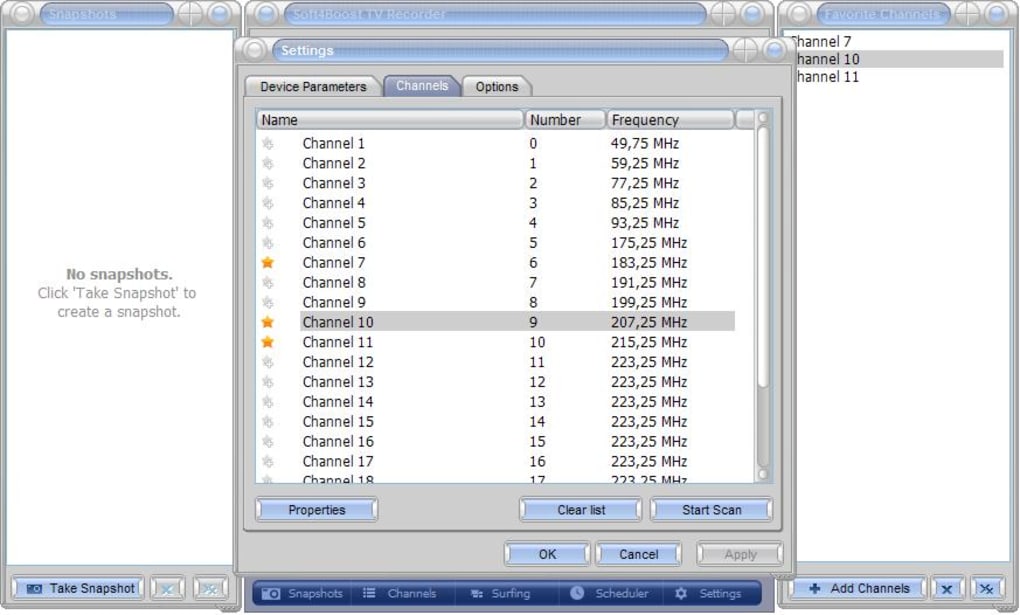
After installation, launch the software and connect your TV tuner or digital receiver to your computer. Soft4Boost TV Recorder will automatically detect the device and configure the settings. If your tuner isn’t recognized, the software provides a built-in device manager to help troubleshoot and set up the connection. Once your source is detected, you can browse available channels and preview live content directly within the app.
To start recording, simply select the desired channel and click the “Record” button. For scheduled recordings, go to the “Schedule” tab, enter the date and time, and set the duration. The software will handle everything automatically. You can also use the built-in video editor to trim unwanted segments, add watermarks, or adjust audio levels. All recorded files are saved to a customizable folder, and you can easily organize them into playlists or categories. With its simple workflow and powerful tools, Soft4Boost TV Recorder makes TV recording accessible to everyone, from casual viewers to tech-savvy users.
Compatibility & System Requirements
Soft4Boost TV Recorder is designed to run smoothly on a wide range of Windows operating systems, including Windows 10, 8, 7, Vista, and XP. This broad compatibility ensures that users with older or legacy systems can still benefit from its advanced recording features. The software is optimized for performance, requiring only 35 MB of disk space, which is minimal compared to other media tools. It runs efficiently on systems with modest hardware, making it suitable for both modern laptops and older desktops.
While the software is officially supported on Windows platforms, users on Mac, Android, and iOS can still access similar functionality through compatible third-party tuners and streaming apps. However, for the best experience, we recommend using Soft4Boost TV Recorder on a Windows PC with a supported TV tuner card or USB receiver. The software integrates seamlessly with devices that support DVB-T, ATSC, ISDB-T, and AVS standards, ensuring high-quality signal reception and stable recording performance.
For optimal results, ensure your computer has a stable internet connection (for updates and online channel guides), a working audio/video input, and sufficient storage space for recorded files. The software automatically checks for updates, so you’ll always have access to the latest bug fixes and feature enhancements. With regular maintenance and a lightweight design, Soft4Boost TV Recorder remains a secure and reliable choice for long-term use.
Pros and Cons
- Pros:
- Free to download and use with no hidden costs
- Supports multiple broadcast standards (DVB-T, ATSC, ISDB-T, AVS)
- Easy-to-use interface with customizable layout
- Advanced scheduling for future recordings
- Multiple output formats (MP4, AVI, MKV, WMV)
- Lightweight (only 35 MB) and efficient on older systems
- Regular free updates for improved performance and security
- Supports HDTV, digital, and analog signal recording
- Cons:
- Only officially available for Windows (no native Mac, Android, or iOS versions)
- Requires a compatible TV tuner or digital receiver for live TV input
- Advanced editing features are limited compared to professional video software
- No cloud storage integration for backup or sharing
- Interface may feel outdated to users expecting modern design trends
Frequently Asked Questions (FAQ)
-
Is Soft4Boost TV Recorder free to download?
Yes, Soft4Boost TV Recorder is completely free to download and use. There are no trial periods, subscription fees, or hidden charges. You can enjoy all core features—including live recording, scheduling, and multiple format support—without paying a single cent.
-
What types of TV signals can Soft4Boost TV Recorder record?
The software supports a wide range of broadcast standards, including DVB-T (Europe), ATSC (North America), ISDB-T (Japan), and AVS (China). It can record both digital and analog signals, as well as HDTV broadcasts, making it suitable for users across different regions.
-
Can I schedule recordings in advance?
Absolutely. Soft4Boost TV Recorder allows you to schedule recordings for future dates and times. This is perfect for catching live events like sports games or award shows when you can’t be home. The software will automatically start recording at the specified time.
-
Which operating systems does it support?
Soft4Boost TV Recorder is compatible with Windows 10, 8, 7, Vista, and XP. While there are no native versions for Mac, Android, or iOS, users can still access similar functionality using compatible external tuners and streaming apps.
-
Do I need a special TV tuner to use this software?
Yes, you’ll need a compatible TV tuner or digital receiver connected to your computer. This can be a USB tuner, PCI card, or external box that supports DVB-T, ATSC, ISDB-T, or AVS standards. The software will detect and configure the device automatically.
Final Thoughts: Why You Should Download Soft4Boost TV Recorder Today
Soft4Boost TV Recorder is a reliable, free, and feature-rich tool for anyone looking to record live TV on their PC. Its support for multiple broadcast standards, intuitive interface, and scheduling capabilities make it a top choice for both casual viewers and frequent recorders. While it’s limited to Windows and requires a compatible tuner, the benefits far outweigh the drawbacks for most users. With regular updates, strong performance, and a lightweight design, this software delivers excellent value without compromising on quality.
If you're tired of missing your favorite shows or want a simple way to archive content, Soft4Boost TV Recorder is the perfect solution. Download it today and start recording your favorite programs with ease. Whether you're saving a sports highlight, a family event, or a documentary, this tool ensures you never miss a moment.
Download Soft4Boost TV Recorder now and experience seamless, secure, and free TV recording on your Windows PC.
Guides & Tutorials for Soft4Boost TV Recorder
How to install Soft4Boost TV Recorder
- Click the Preview / Download button above.
- Once redirected, accept the terms and click Install.
- Wait for the Soft4Boost TV Recorder download to finish on your device.
How to use Soft4Boost TV Recorder
This software is primarily used for its core features described above. Open the app after installation to explore its capabilities.
User Reviews for Soft4Boost TV Recorder 0
No reviews found





